

Senseloom for meetings
Every decision, without the notes.
Upload recordings from Zoom, Google Meet or Teams and get a summary with decisions, action items and open questions, so nobody has to ask what was decided.
- Upload recordings from Zoom, Meet or Teams
- Summaries built for meetings
- Share them with the whole team
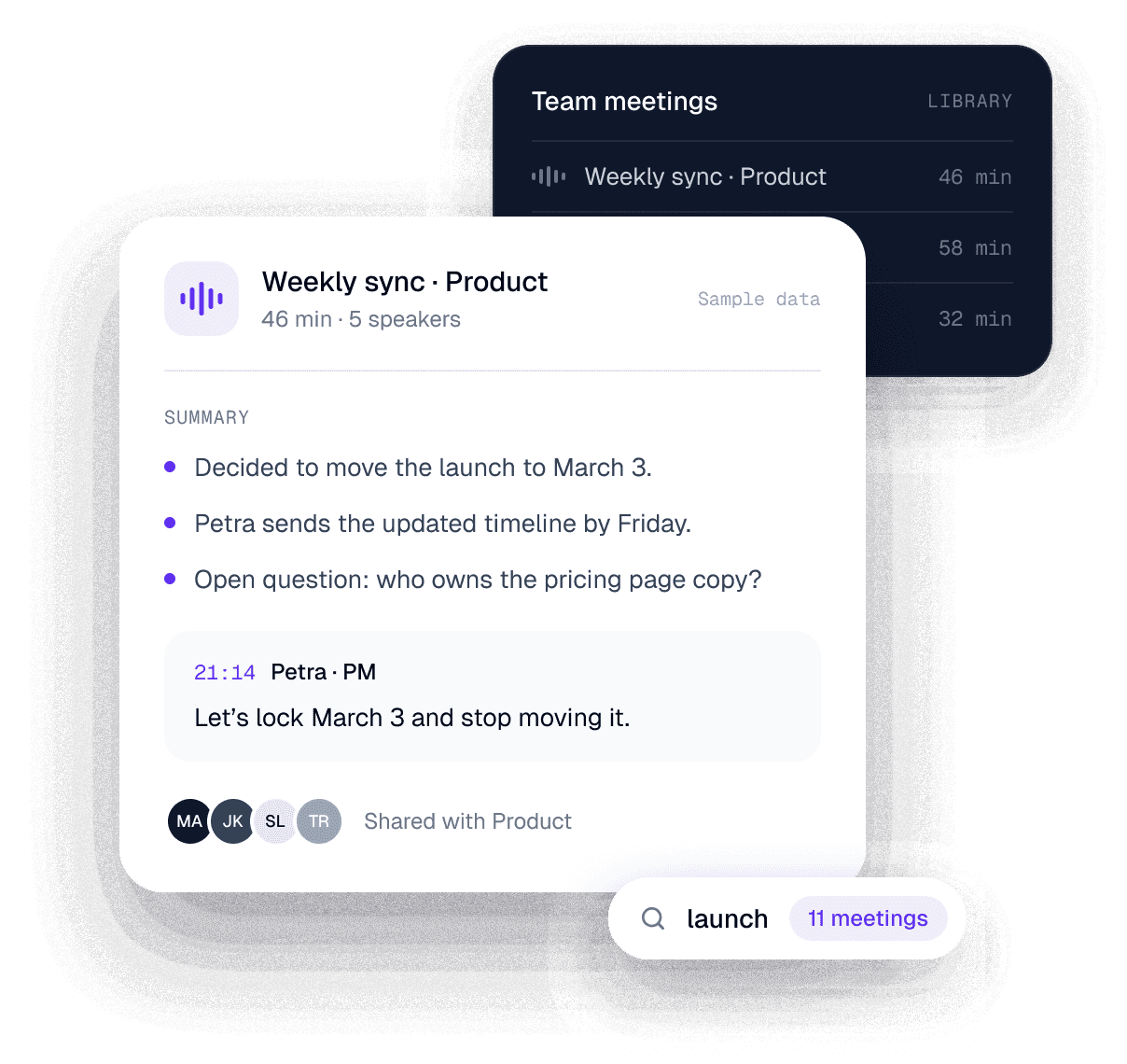
A meeting, read for you
From what was said to who does what.
Senseloom gets every word and every speaker right first, then fills the meeting template: decisions, action items and open questions, each linked to the moment it was said.
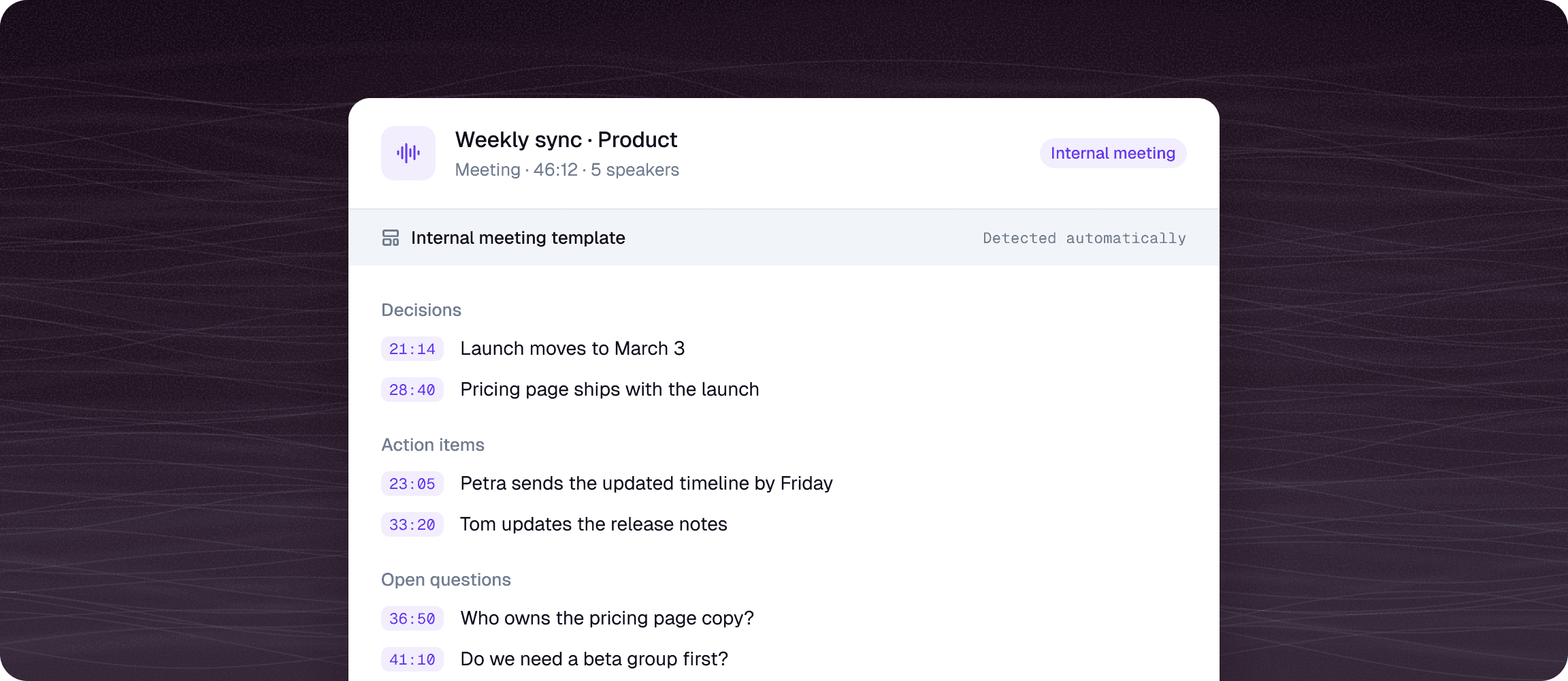
01 · The foundation
World class transcript accuracy
Built on leading speech AI, in 90+ languages and with every speaker labeled, so each line says who said it.
See accuracy by language →02 · On top
AI that does the work
Summaries shaped by the type of recording, your own templates and answers in Claude or ChatGPT.
Why teams use it
Stop asking what we decided last week.
- 01
Decisions you can find later
Every summary lists what was decided, so nobody has to rely on memory or a missing note.
- 02
Action items with a source
Action items land in the summary, and the transcript shows who agreed to what.
- 03
Catch up without the replay
Missed the meeting? Read the summary in a minute or search the transcript for your name.
For the whole team
Every meeting in one place.
Search every word across your meetings, keep each team's recordings in its own workspace and decide who sees what.
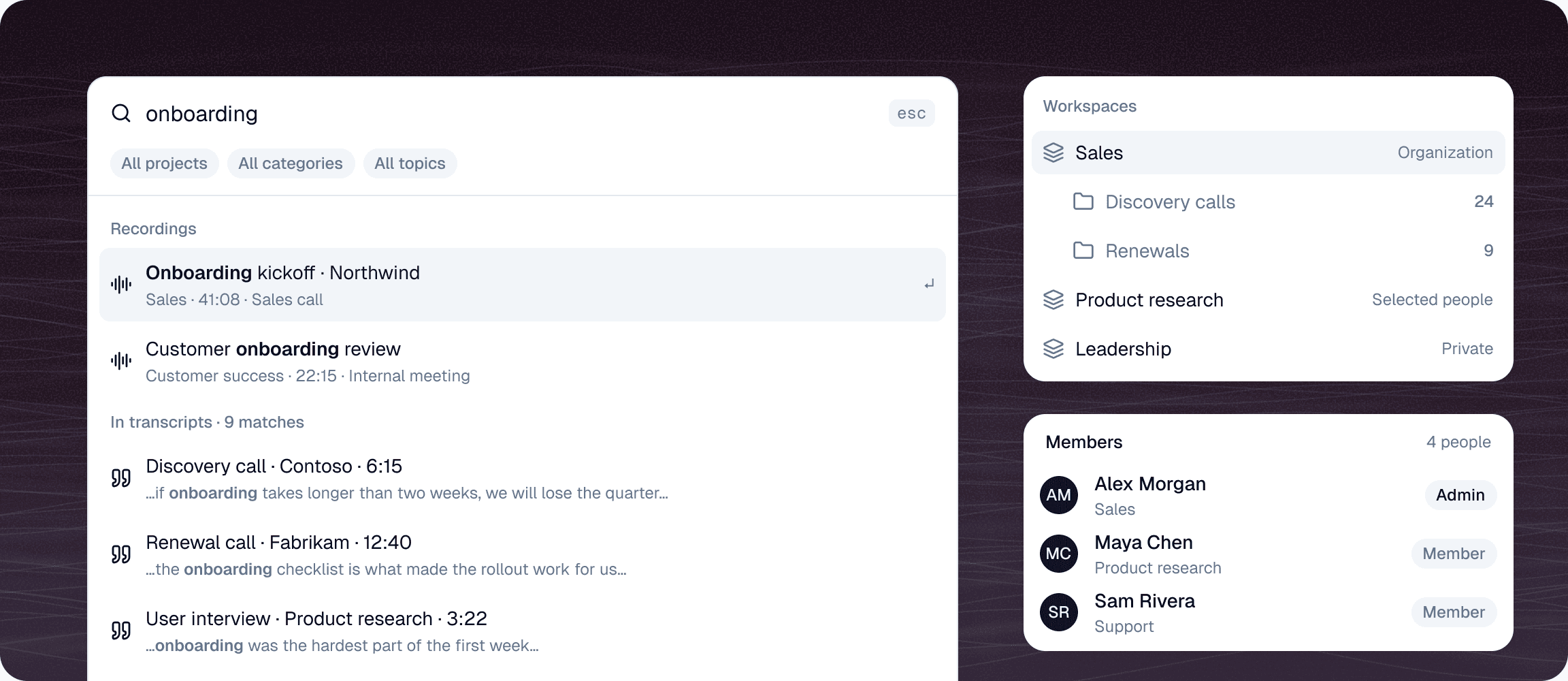
01 · Search
Search every word
Real full-text search across every transcript in your workspace. Find the exact moment, not just the file.
02 · Workspaces
A space for every team
Sales, product and research each get a workspace, open to the whole company, to selected people or private.
03 · Roles
The right access for everyone
Invite your team as admins or members. Admins manage people and settings, everyone else gets straight to work.
04 · Sign in
Secure sign in
Sign in with Google or with your email address. Enterprise SSO on request.
Talk to us about SSO →


Claude, ChatGPT and MCP
Take your calls into Claude or ChatGPT.
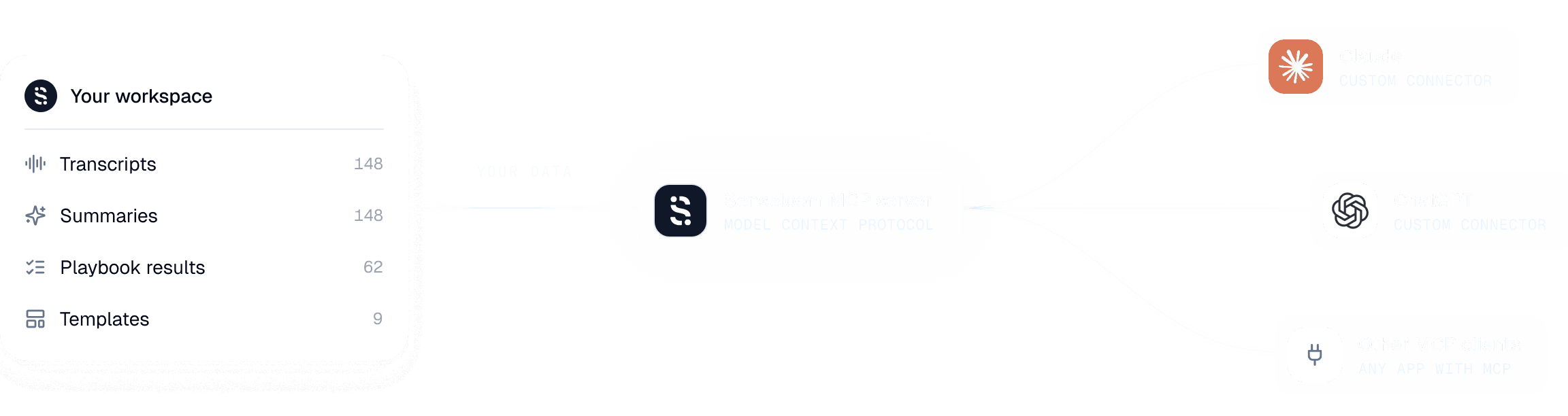
Connect Senseloom to Claude or ChatGPT through MCP and ask across your meetings, for example what was decided about the launch.
- Works with Claude, ChatGPT and other MCP clients
- You choose which workspace it can read
- Answers point back to the call and the second
Privacy & GDPR
Your data is stored in the EU.
Made for European teams that record customers and colleagues and work with personal data under GDPR.
01 · Residency
EU data residency
Recordings, transcripts and AI results are stored in the EU.
02 · Training
No AI training
Your recordings are never used to train AI models, ours or anyone else's.
03 · Retention
Zero data retention
The AI providers we work with keep nothing once your request is done.
Pricing
Start free. Pay only for what you use.
Start on Free and move to Pro when your team needs more. Pro has no subscription. You buy credits only when you need them.
What's included
- 5 free credits a month
- 1 person
- 50 MCP calls a day
Everything in Free, plus
- Credits as you need them, no subscription
- Your whole team, one shared balance
- No daily limit on MCP calls
Compare plans
Not sure which plan fits?
Both plans include transcripts, summaries, templates, search and export. The pricing page compares every limit and explains how credits work.
FAQ
Questions
Meetings, consent and your data. Can't find an answer? Talk to us.

Try Pro free for 14 days.
Upload your first meetings and get transcripts and summaries in minutes. No subscription.
Start 14 day free trial